How to Check CP500 and Pay?

website (7)

What is CP500? CP500 is a bi-monthly tax instalment issued by LHDN (Malaysia's Inland Revenue Board) to individuals with business or non-employment income. Payment is required 6 times a year.

  • Payment frequency: Every 2 months — March, May, July, September, November, January
  • Late penalty: 10% penalty on the outstanding instalment if paid late
  • Who receives it: Taxpayers with business income, rental income, or non-employment income above a threshold
  • How to check online: Log in to mytax.hasil.gov.my → ezHasil Services → CP500
  • How to pay online: Via FPX (online banking), credit/debit card, or bank counter
  • Can you revise the amount? Yes — submit Form CP502 to LHDN to request a revision
  • Time to pay online: Approximately 10–15 minutes via MyTax


After receiving the CP500 installment notice, not sure how to pay? 😟 Don’t worry! We have compiled detailed steps for your reference! ✅


老板们收到CP500分期通知后不清楚要怎么支付?😟 别担心!我们整理了详细步骤让你们参考!✅


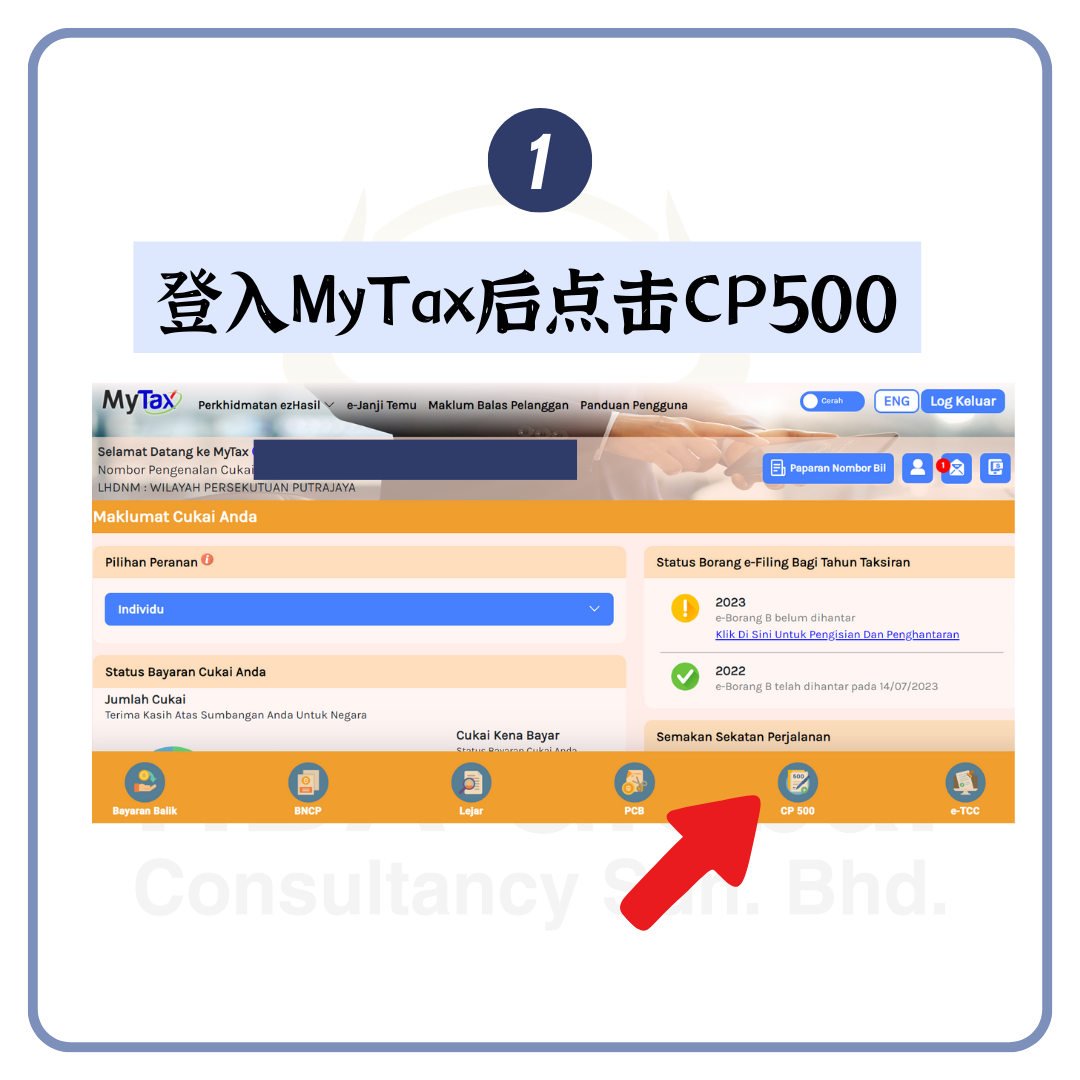
 Step 1 第一步

 After logging into MyTax, click CP500
2

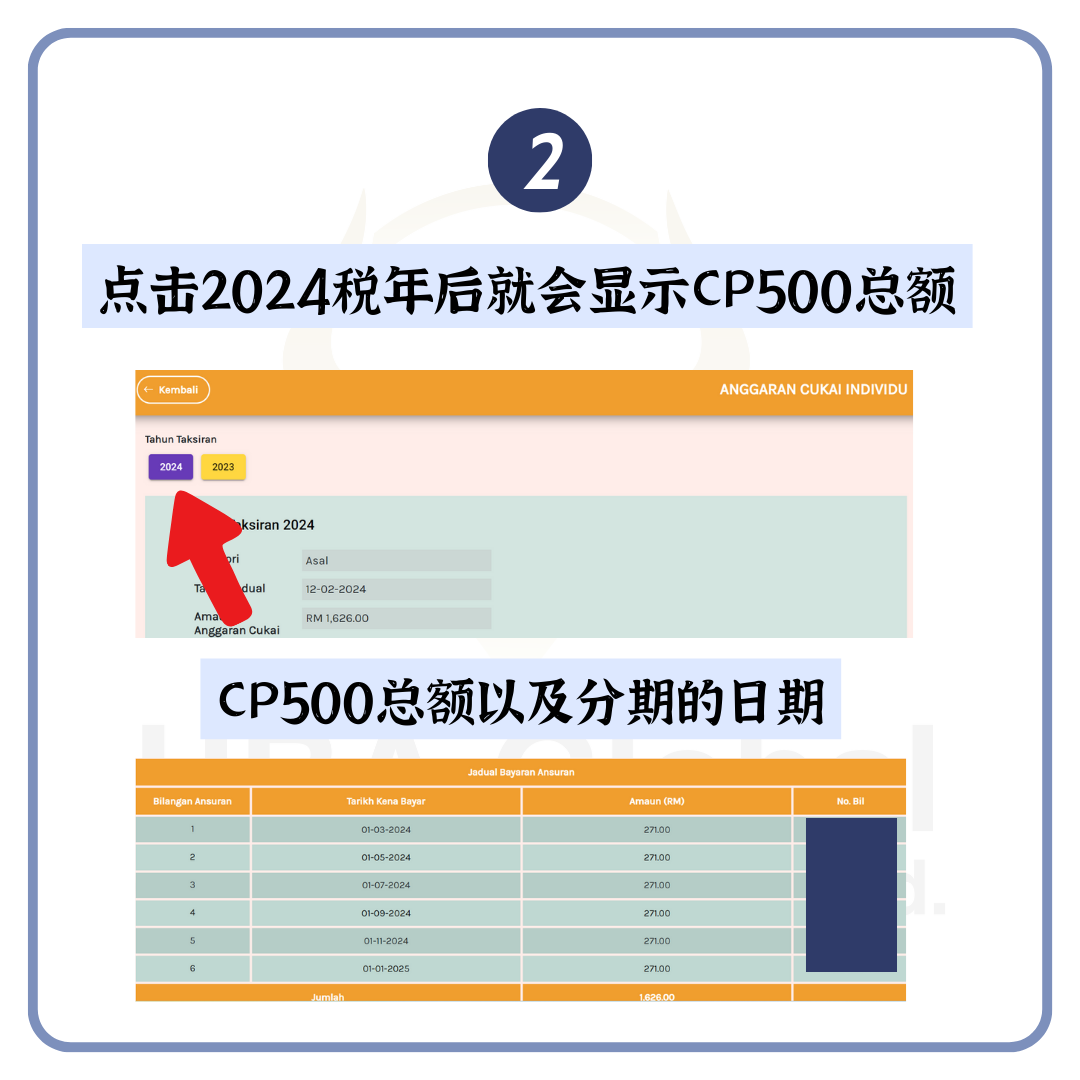
 Step 2 第一步

Click on the 2024 tax year and the total CP500 installment date will be displayed.
3

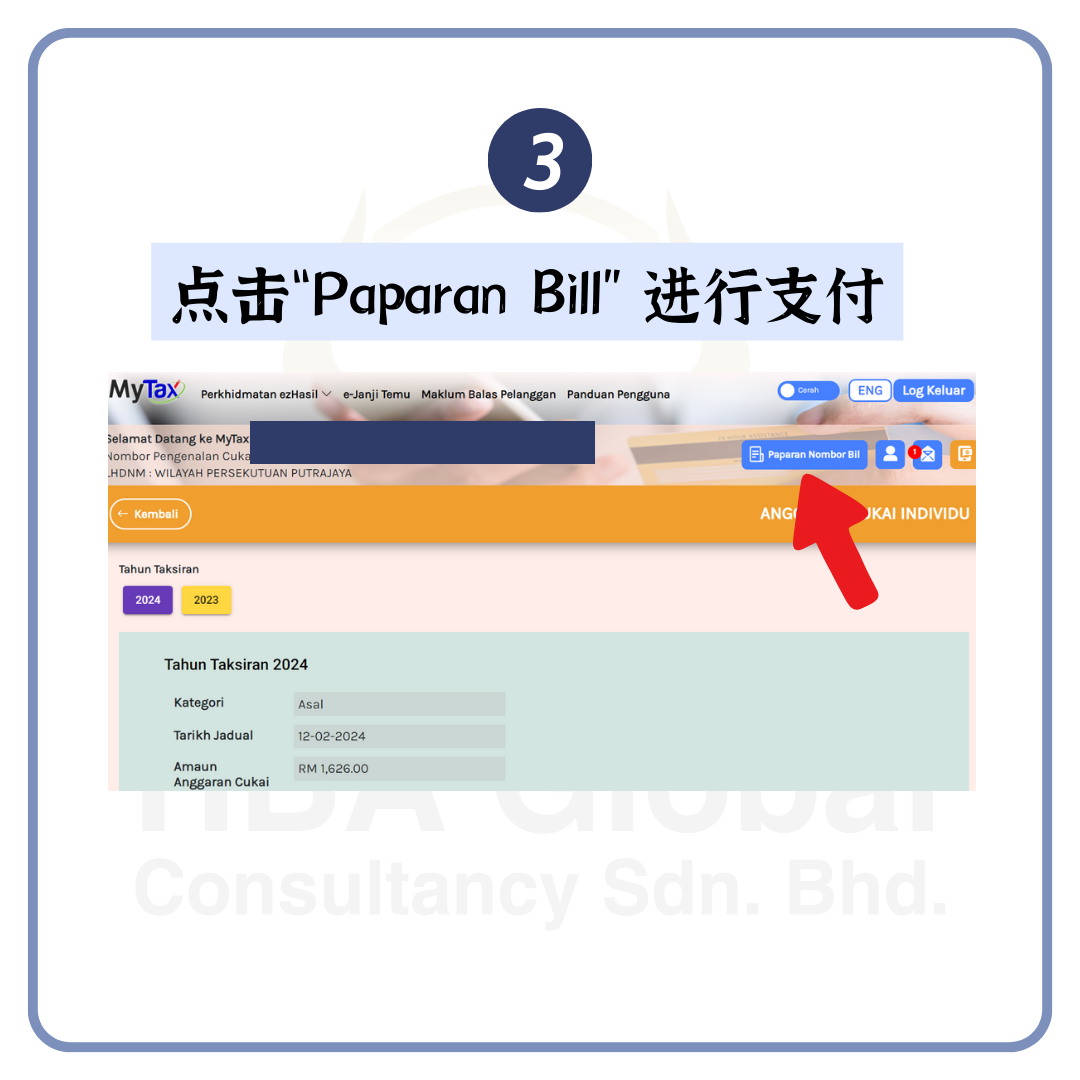
 Step 3 第三步

Click "Paparan Bill" to pay
4

 Step 4 第四步

Click on the bill you want to pay. After confirmed the amount, click "Teruskan".

5

 Step 5 第五步

After checking that the information and amounts are correct, click "Teruskan"

6

 Step 6 第六步

After selecting the payment method, click "Teruskan"

7

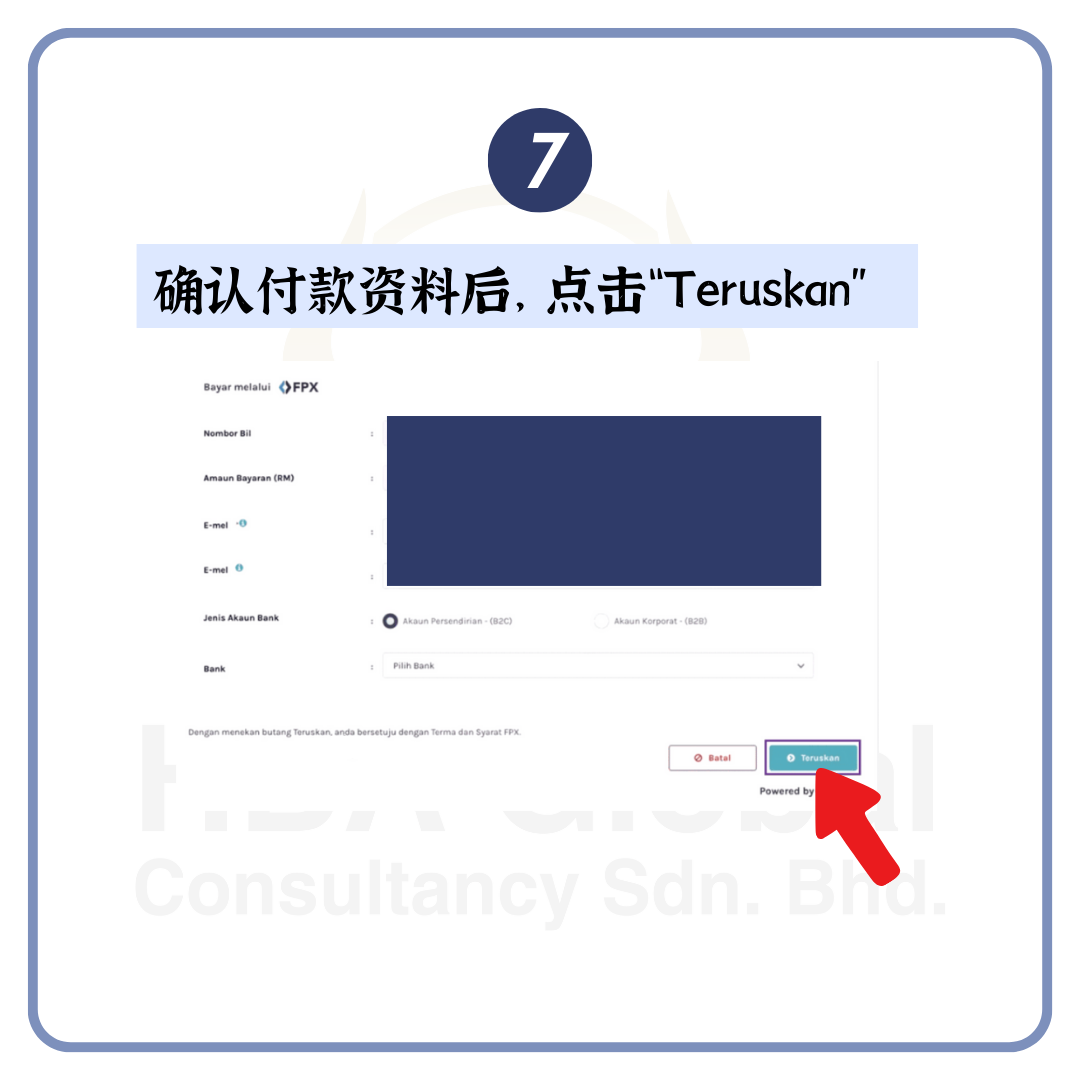
 Step 7 第六步

After confirming the payment information, click "Teruskan"
8

 Step 8 第八步

The payment is successful if you come to this page!

9